
Afina Browser
Afina Browser is an anti-detect browser and workspace for teams that work with accounts, proxies, browser profiles, and repetitive online processes. Afina helps teams not just connect proxies to a browser, but build a managed system for multi-accounting, traffic arbitrage, digital marketing, SEO, e-commerce, and automation.

20% discount on all plans except Max
What is Afina Browser
Afina Browser is a browser for working with multiple accounts, profiles, and online services in one managed environment. Its main purpose is to help users separate workflows, geos, proxies, accounts, cookies, sessions, and browser settings.
In a regular browser, everything is often mixed together: cache, history, tabs, extensions, cookies, and sessions. This may be enough for personal use, but for traffic arbitrage, SEO, marketing, e-commerce, or team workflows, this approach quickly becomes inconvenient.
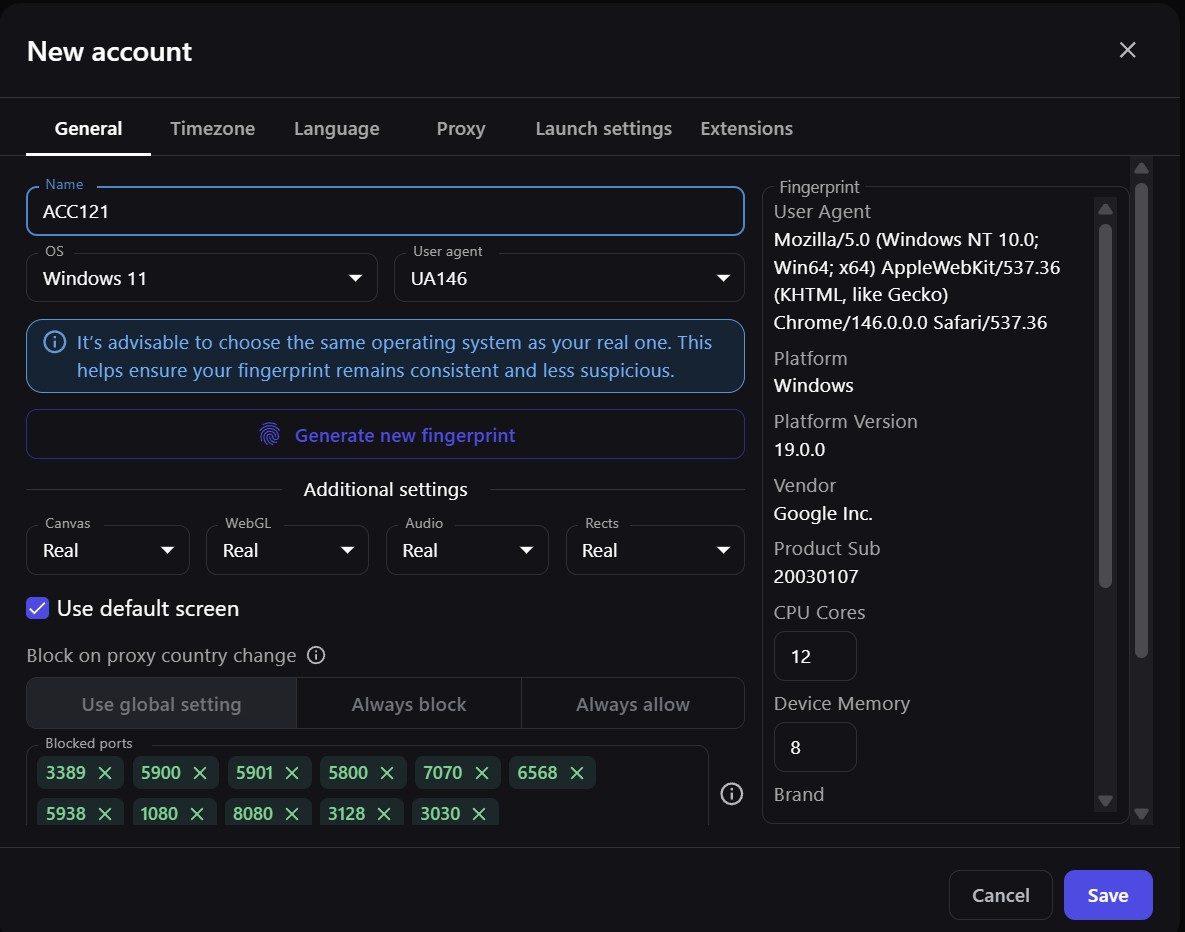
Afina solves this through separate [isolated browser profiles](https://afina.io/en/profiles). Each profile can be used as an independent workspace for a specific account, geo, client, ad account, or task. This helps teams find the right profiles faster and organize processes more conveniently.
How Afina works with proxies
Proxies are important when teams need to work with different regions, check local search results, test ad accounts, launch separate accounts, or analyze websites from different geolocations. Proxy4U provides residential, mobile, and datacenter proxies and supports sticky and rotating modes.
In Afina, proxies can be used at the level of individual profiles. For example, a team can create profiles for different geos, assign relevant Proxy4U proxies to them, add tags, organize accounts into groups, and launch the required profiles without confusion.
This kind of [proxy workflow](https://afina.io/en/proxy) is easier to manage not as a separate list of IPs, but as part of a complete system: profile, proxy, account, group, tag, note, task, and scenario. This is especially useful when a team works with dozens or hundreds of accounts.
Afina does not replace Proxy4U. It helps make proxy usage more structured: sticky proxies can be used for stable sessions, while rotating proxies can be used for tasks where the IP needs to change according to a set logic.
Afina for multi-accounting and traffic arbitrage
Multi-accounting is not just launching several accounts. In real workflows, it means constantly managing profiles, proxies, tags, access, sessions, tasks, and repetitive actions. If this is handled manually, mistakes quickly appear: the wrong profile, the wrong proxy, mixed accounts, or duplicated tasks.
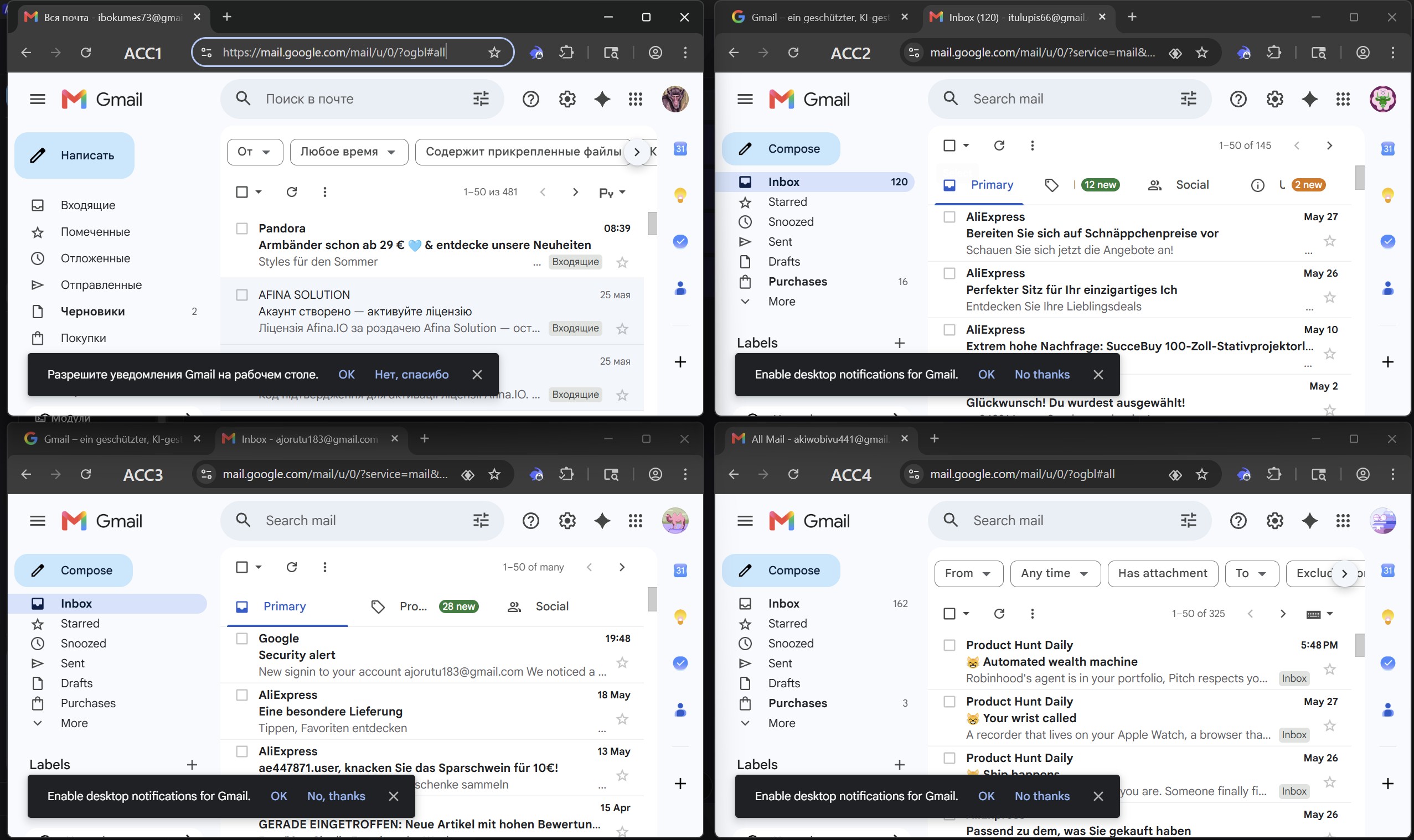
Afina helps build a more systematic workflow. Users can create profiles, group them, assign proxies, add tags, save notes, work with account data, and launch profiles individually or in bulk. For a team, this means that work does not depend on chaotic spreadsheets or one specialist’s memory.
In traffic arbitrage, a team may work with several geos, offers, ad accounts, accounts, landing pages, and traffic sources at the same time. Afina helps separate these processes, while Proxy4U provides the proxy infrastructure for the required regions.
For teams working with [traffic arbitrage](https://afina.io/en/traffic-arbitrage), this setup can be useful for preparing profiles, testing advertising approaches, checking accounts, and repeating typical operations.
Strong Afina features
Afina Browser combines profiles, proxies, automation, teamwork, and data management in one environment. This is important for teams that do not simply open accounts manually, but build a complete operational workflow.
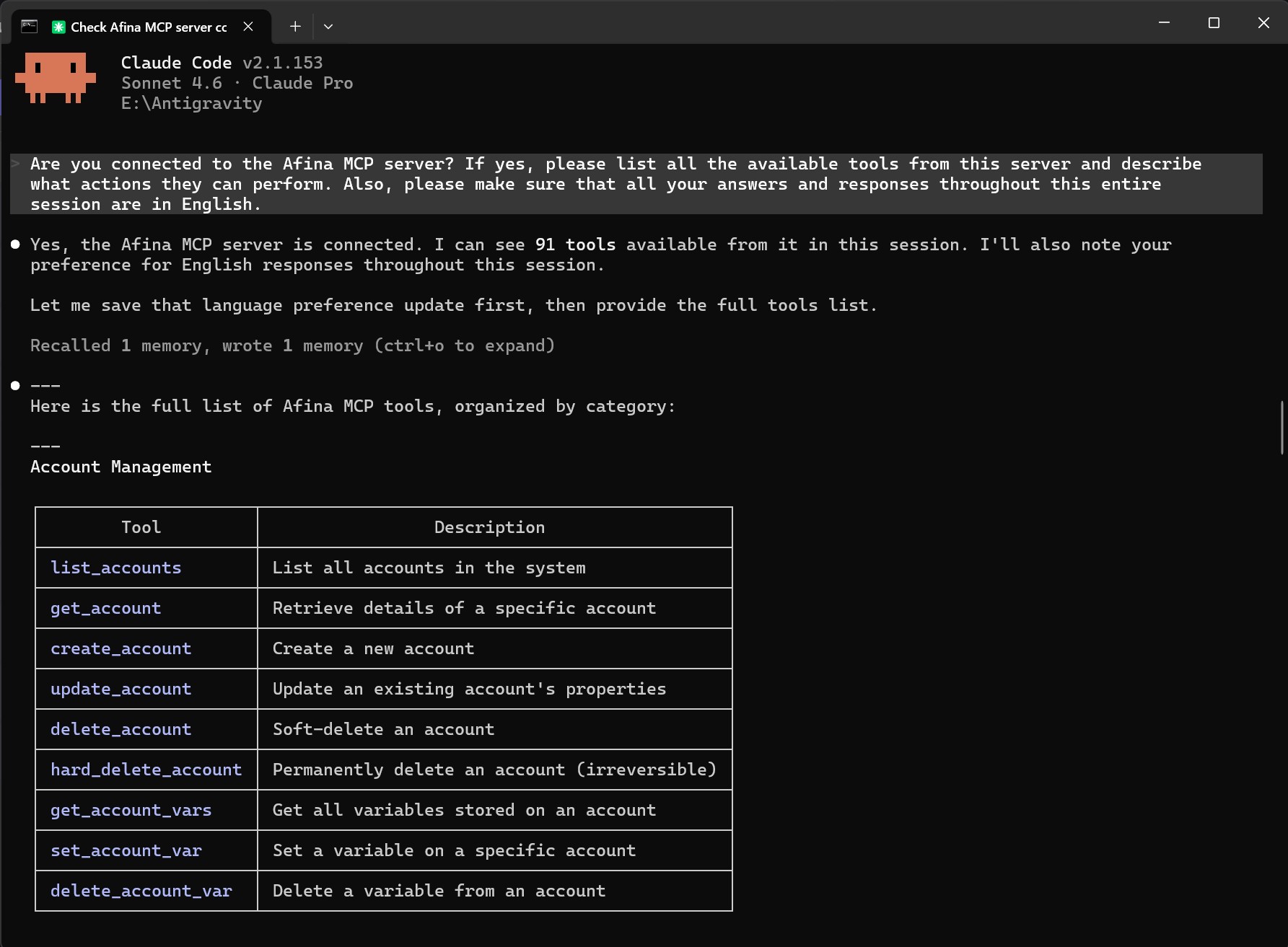
One of Afina’s strongest features is its own MCP Server. It allows teams to connect Afina to an AI agent and manage part of the workflow through natural commands. The AI agent can help create profiles, assign proxies, add tags, prepare tasks, or launch work scenarios.
Another important feature is no-code automation. In Afina, users can create scenarios for repetitive browser actions without classic programming. This is useful for profile preparation, page checks, opening required services, transferring data, and daily operations.
For technical teams, Afina also has a local API. It allows the browser to be integrated into custom dashboards, scripts, CRMs, spreadsheets, or other internal tools. If a team already uses proxies, bots, or its own infrastructure, the API helps connect Afina to a broader automation system.
Afina also supports an action synchronizer, additional account data, and encrypted account data. The synchronizer helps repeat the same actions across multiple profiles, while account data is useful for variables, tokens, keys, or service information.
How Proxy4U complements Afina
Proxy4U works well as proxy infrastructure for Afina because the service supports different proxy types and popular protocols. HTTP/HTTPS and SOCKS compatibility is important for browser-based, automation, and third-party scenarios. Sticky and rotating modes allow teams to adapt IP logic to a specific task.
According to Proxy4U, the service provides access to 90M+ IPs in 195 countries. This coverage can be useful for teams working with local markets, advertising campaigns, SEO checks, e-commerce, price monitoring, or competitor analysis.
Together with Afina, these proxies can be integrated into the general profile structure. For example, a team can create a group of profiles for a specific country, assign Proxy4U proxies, add tags for quick navigation, and prepare tasks for repetitive actions.
What tasks Afina and Proxy4U are suitable for
The Afina and Proxy4U setup can be useful for traffic arbitrage, SEO, digital marketing, e-commerce, web scraping, data analysis, price monitoring, and team workflows with many accounts.
For SEO and digital marketing, it can be used to check local search results, analyze competitors, test pages, and work with different regional environments. For e-commerce, it can help with price monitoring, checking local website versions, and working with different stores or countries.
For tasks that require repeatability, Afina supports [scripts and browser task automation](https://afina.io/en/scripts-and-automation). This helps reduce manual routine and make typical processes more stable.
Afina promo codes for Proxy4U users
Users who want to test Afina together with Proxy4U proxy infrastructure can use promo codes for Afina browser plans:
- `SALE20` — 20% discount on all plans except Max
- `SALE30` — 30% discount on the Max plan
These promo codes are suitable for teams that want to test Afina as a workspace for profiles, proxies, accounts, and browser task automation.
Table of Content
- What is Afina Browser
- How Afina works with proxies
- Afina for multi-accounting and traffic arbitrage
- Strong Afina features
- How Proxy4U complements Afina
- What tasks Afina and Proxy4U are suitable for
- Afina promo codes for Proxy4U users
Ready to Experience More?
Enjoy a 100% ethical approach to browsing and streaming and you’ll be able to do everything from glide through your work-from-home job to relax in the evening. Exactly what’s needed when you want to experience more in every possible way.